

V Mods Manager: Modding Made Easy
A mod manager for GTA V on PC, made for script mods. Your game stays vanilla.
Free · Windows 10/11 64-bit
Story mode only. Using mods in GTA Online can get your account banned.
How it works
Most tools install mods straight into the game. V Mods Manager does not.
The usual way
- Mods are copied into the game folder and stay there
- The game files are changed for good
- Cleaning up means finding every file by hand
With V Mods Manager
- Mods live in a separate library, %LocalAppData%VModsManager
- They are copied in at launch and removed when the game closes
- The rest of the time the game stays vanilla
- 1
Drop
Drag a zip, rar or 7z archive, or a folder, into the manager.
- 2
Scan
The mod is analysed and you read a plain-language report before enabling it.
- 3
Play
The game starts with your mods. When it closes, the game folder is restored.
Script mods only. V Mods Manager does not cover or replace OpenIV: keep using it for mods in the mods/folder, .rpf and .oiv files. Both work side by side.
Features
Your mods
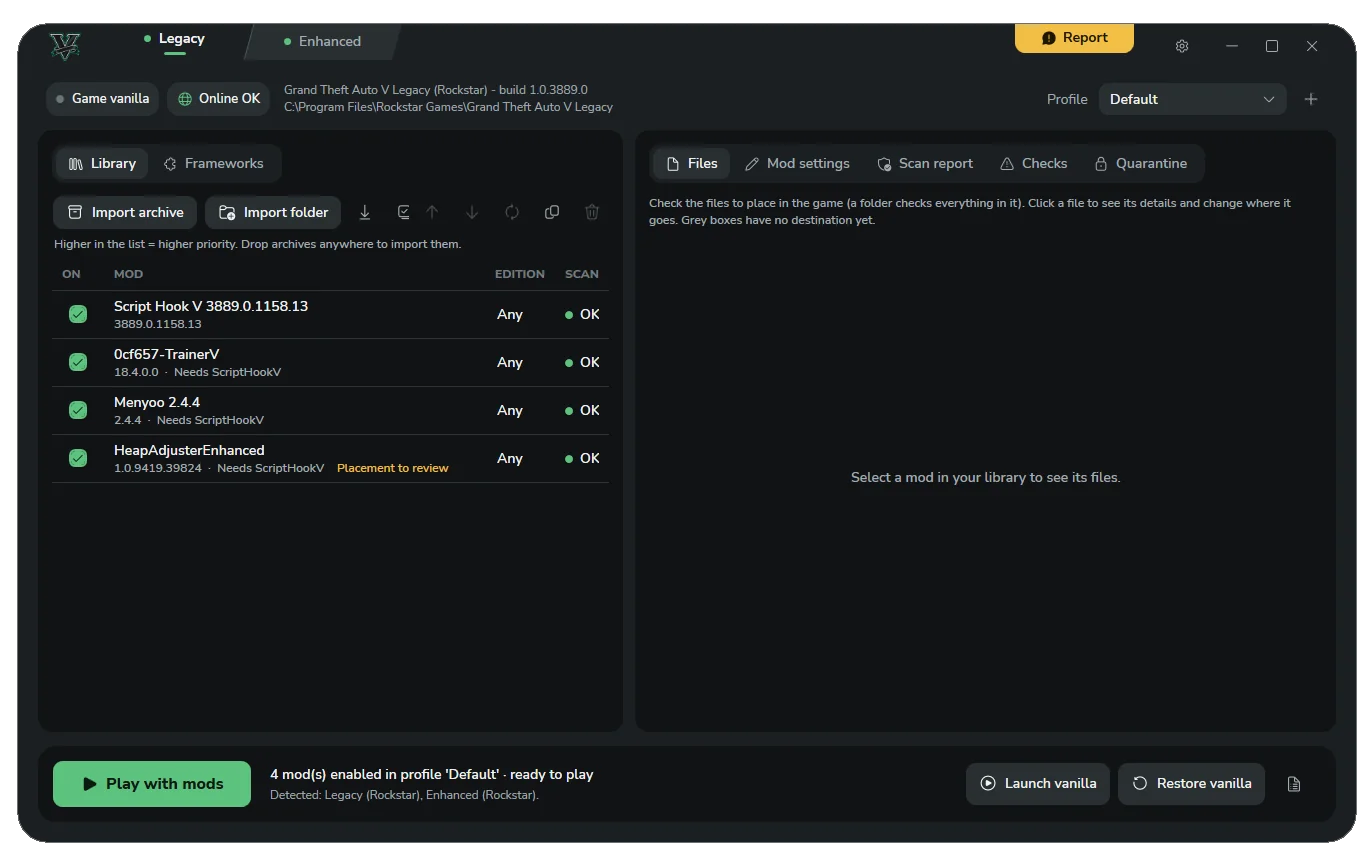
Smart import
The manager finds where each file belongs, and detects duplicates and new versions of a mod you already have.
Pick your files
A file tree with one checkbox per file, so you install only what you want.
Mod settings kept
The .ini files changed while you play, your saves and presets are stored with their mod and put back at every launch.
Dependency check
Warns you when a mod needs Script Hook V, ScriptHookVDotNet or a minimum version, as read from the mod’s readme.
Settings editor
Edit .ini, .xml and .json settings with search and syntax highlighting.
Frameworks page
Script Hook V, ScriptHookVDotNet, NativeUI, LemonUI, iFruitAddon2, Menyoo and Simple Trainer, with their latest version. Only if you allow Internet access.
Safety and restore
Guaranteed restore
Your game folder always comes back to its original state.
- Every change is recorded before it is made
- Replaced files are backed up and checked by hash
- Automatic recovery after a crash or a power cut
- A “Restore game to vanilla” button, always available
Security scan
Every mod is scanned before you can enable it. You get OK, Suspicious or Dangerous with a plain-language report, and can also run a Microsoft Defender scan.
Launch vanilla for GTA Online
Checks the game folder and moves mod files aside, even the ones you installed by hand.
Signed updates
The manager tells you when a new version is out and refuses any installer not signed by the author.
Game and tools
Legacy and Enhanced
Each edition has its own mods and its own settings.
Game versions
Optional: keeps the previous GTA V version after an update, so you can keep playing with mods until Script Hook V catches up.
- 2 versions by default, up to 5
- Alerts you when Script Hook V supports the new version
Session reports
Logs of your last 10 modded sessions are kept and detected problems are shown. After a crash, build a report to share on Discord.
Report button
Send a report about a mod that does not work. You see the full content before it is sent.
Desktop shortcuts
“V Legacy” and “V Enhanced” shortcuts to play with mods in one click.
Screenshots
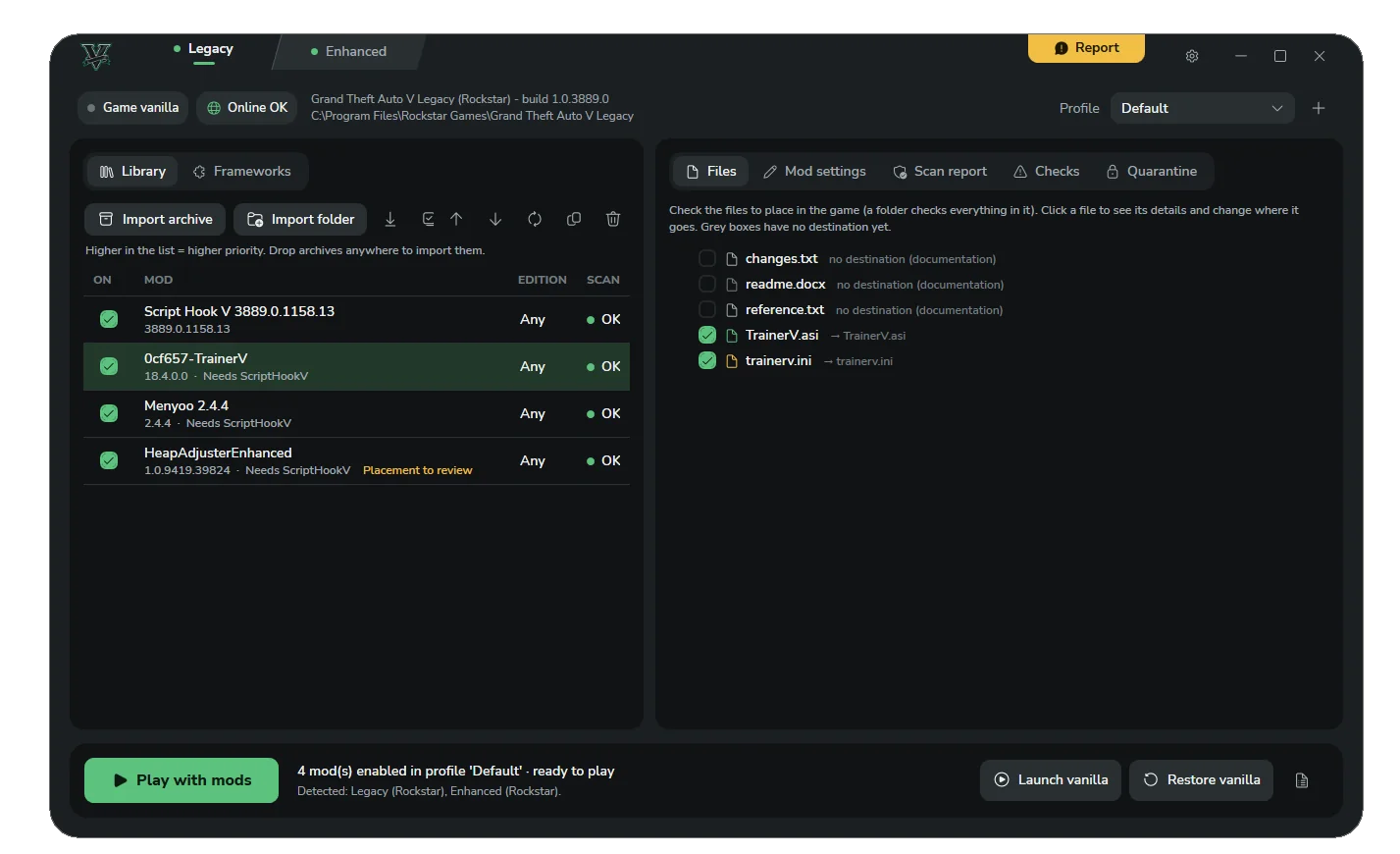
Your library and the files of each mod 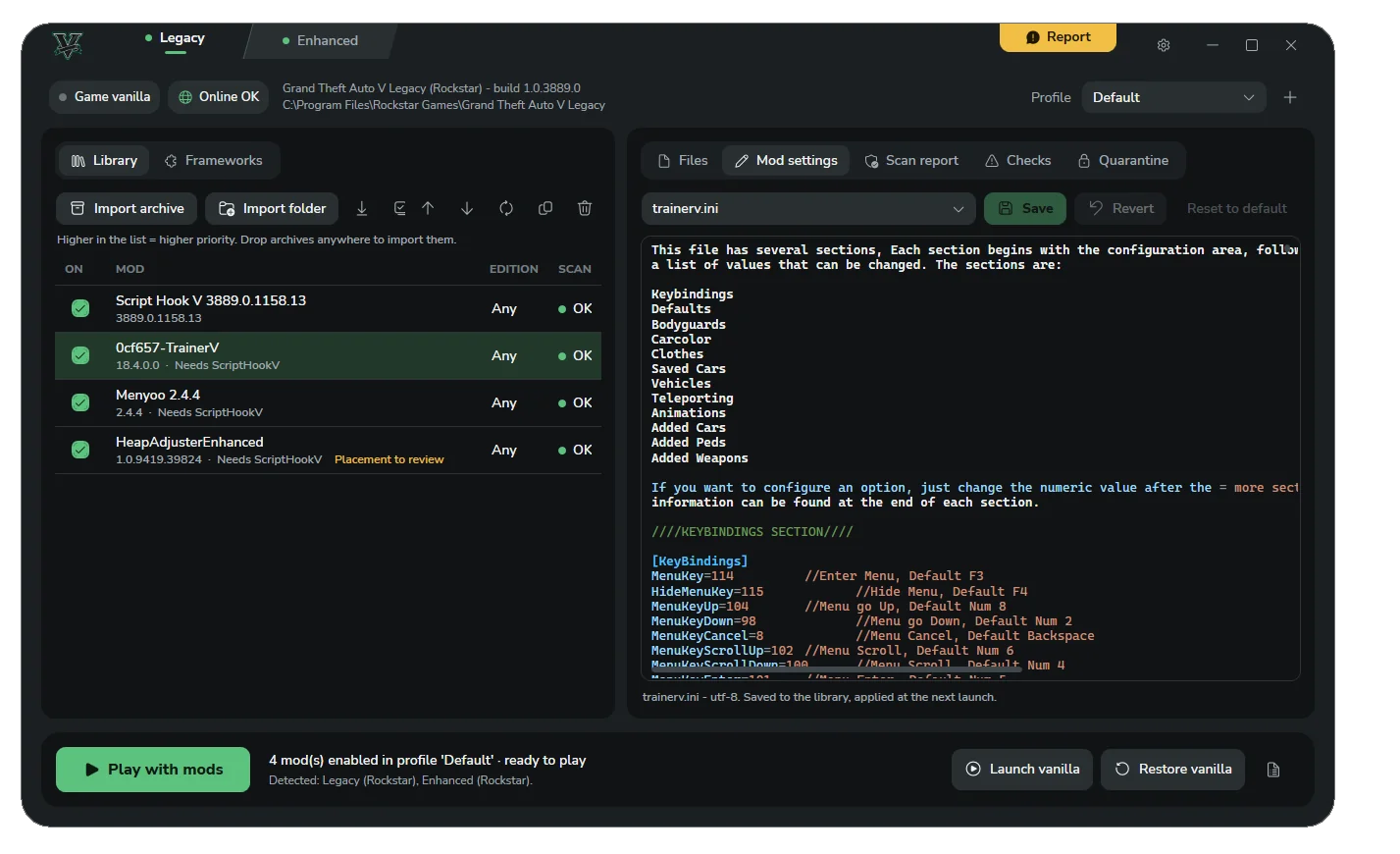
Mod settings, edited in place 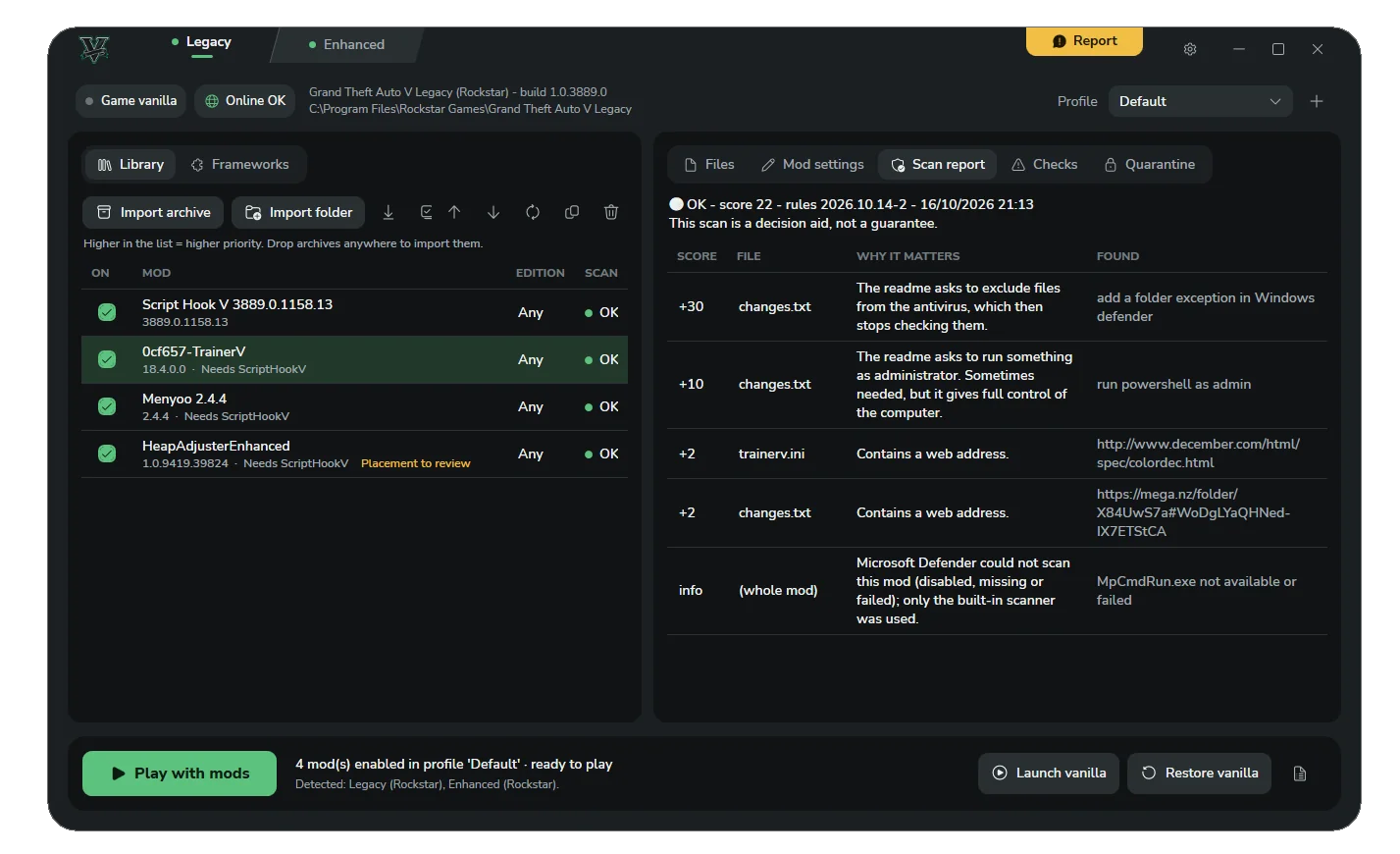
A scan report in plain language 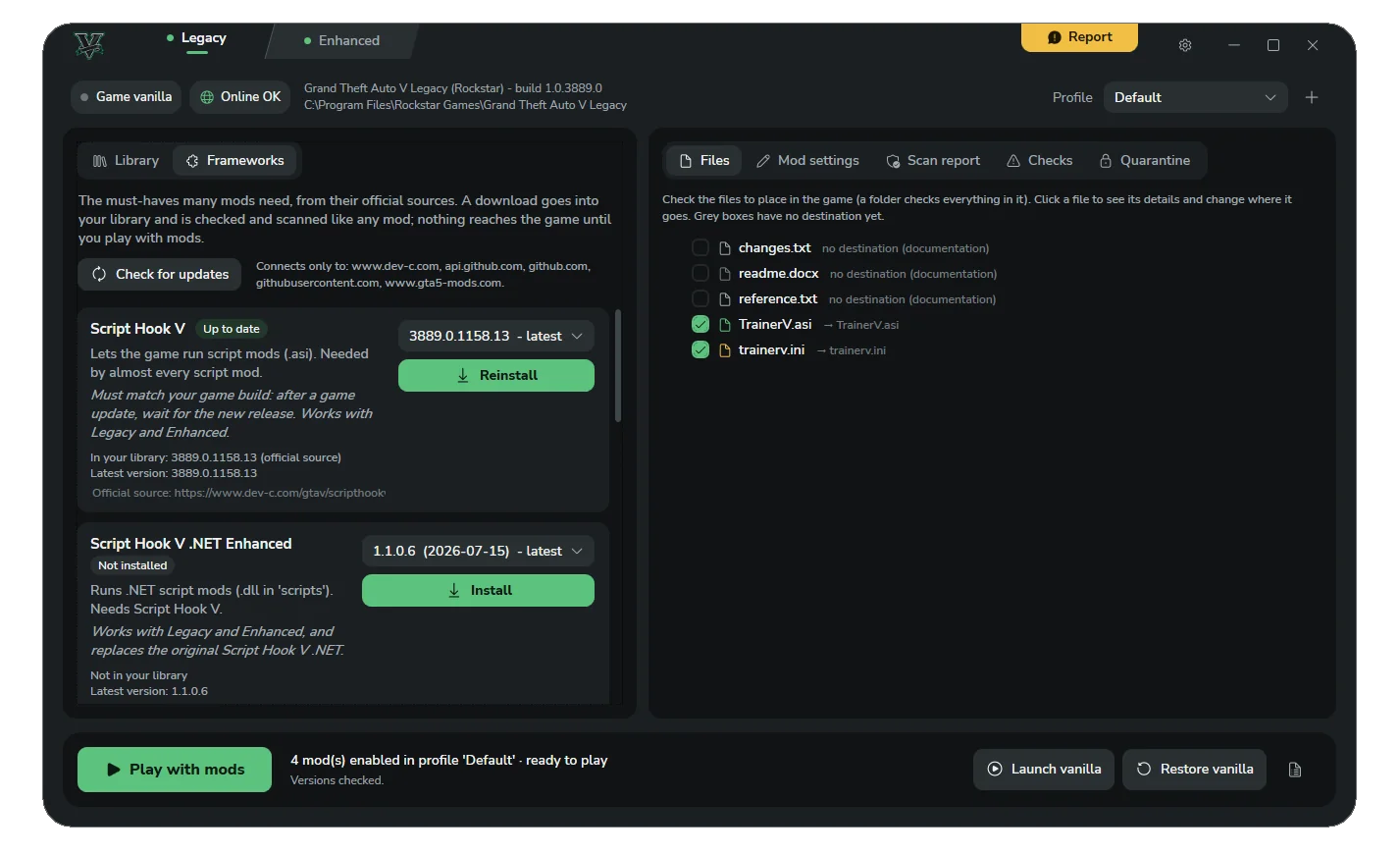
Frameworks from their official sources
Security and transparency
Mods come from the Internet, so here is exactly what the manager checks and what it never does.
What the scan looks for
- Hidden downloaders and network access
- Hidden programs (.exe, .bat…) and double extensions
- Fake ScriptHookV.dll files
- Data theft paths (browsers, Discord, crypto wallets)
- Discord and Telegram webhooks
- Packed or obfuscated code
- Readmes asking you to disable your antivirus
What is blocked
- Trapped archives: ../ paths, archive bombs, links
- .exe, .bat, .ps1, .msi, .reg and similar files are never injected into the game
What is never touched
- OpenIV’s mods/ folder and OpenIV.asi
- .rpf archives and the update/ folder
- The game’s executables and files, except with the Game versions option you turn on yourself
Good to know
- The manager never runs a mod: it only reads files as data
- Suspicious files are quarantined, never deleted
- No administrator rights needed. If the game is in Program Files, Windows asks once, only for the current operation
The scan helps you decide, it is not a guarantee. A green result does not prove that a mod is safe.
.asi and .dll files are programs that run inside the game with your Windows rights. Only use mods from sources you trust.
Before you play
- Story mode only
- Mods are for story mode only. Using mods in GTA Online can get your account banned.
- BattlEye
- The manager turns off the anti-cheat (
-nobattleye) only for the modded session. Before playing online, use Launch vanilla. - No guarantee for your account
- The manager does everything it can to leave no mod in the game, but it cannot guarantee how Rockstar or BattlEye will treat your account.
- Alpha software
- Bugs are possible. If the game misbehaves, use Restore game to vanilla, then verify the game files in your launcher (Steam, Epic Games or Rockstar Games Launcher).
Installation
- 1
Download
VModsManager-Setup-X.Y.Z.exefrom this page. - 2
Run it. No administrator rights are needed: it installs in your user folder.
“Windows protected your PC”
SmartScreen shows this message because the installer has no paid Microsoft certificate. ClickMore info, then Run anyway.
Updates are different: the manager checks the author’s signature on every new version and refuses any installer that does not match.
- 3
Read and accept the terms of use shown by the installer.
- 4
Choose your shortcuts (V Mods Manager, V Legacy, V Enhanced) and how many game versions to keep.
- 5
Open the manager and choose your game folder. It is detected automatically for Steam, Epic Games and the Rockstar Games Launcher.
- 6
Downloaded mod archives can be dropped into the Mods to import folder, created next to the manager.
Uninstalling
- In the manager, run Restore game to vanilla first.
- Then uninstall from Windows Settings > Apps > Installed apps.
Two things stay on your PC: your mod library in%LocalAppData%\VModsManager, and the Mods to import folder, which is never deleted. Remove them by hand if you no longer need them.
Older versions
Show previous releases
Older versions are unsupported and may contain bugs that are fixed in the latest release. Use them only if you need to roll back.
SHA-256:
Frequently asked questions
Is it safe?
Every mod is scanned before it can be enabled, and your game folder is always restored. But mods remain third-party programs: the scan helps you decide, it is not a guarantee. Only use mods from sources you trust.
Can I get banned?
Only if you go online with mods. Always use Launch vanilla before playing GTA Online.
Does it replace OpenIV?
No. V Mods Manager handles script mods only (Script Hook V, .asi plugins, ScriptHookVDotNet scripts, trainers). OpenIV mods (the mods/ folder, .rpf and .oiv files) are not covered: keep using OpenIV for them. Both work side by side, and the manager never touches OpenIV’s files.
Legacy or Enhanced?
Both, on Steam, Epic Games or the Rockstar Games Launcher, with Windows 10 or 11 64-bit. Each edition has its own mods and its own settings.
What happens after a GTA update?
Script Hook V has to be updated by its author. Meanwhile, the Game versions option lets you keep playing on the previous version.
My game crashed, or the PC shut down?
At the next start, the manager offers to restore everything.
Why the SmartScreen warning?
The installer has no paid Microsoft certificate. See the Installation section above for how to continue and how updates are verified.
Is it free? Any telemetry?
It is free, and there is no telemetry.
How do I uninstall cleanly?
Run Restore game to vanilla, then uninstall from Windows Settings. See “Uninstalling” in the Installation section for what stays on your PC.